Creating a Container Database using DBCA
For Creating a Container
Database using SQL Statements Please click here
Let’s us create a container database by name ICA and one pluggable database PDB1.
We will place all datafiles, logfiles,controlfile of CDB in /u02/oracle/ica directory and place seed database pdbseed database
datafiles in ‘/u02/oracle/ica/pdbseed’ directory and pluggable database PDB1 files /u02/oracle/ica/pdb1 directory
Step 1: Make directories
$mkdir /u02/oracle/ica
$cd /u02/oracle/ica
$mkdir pdb1
Step 2. Start DBCA
Grant access to X-Windows by typing following command as root
#xhost +
Start DBCA as Oracle User
$ dbca
Choose "Create Database" option and click "Next" button
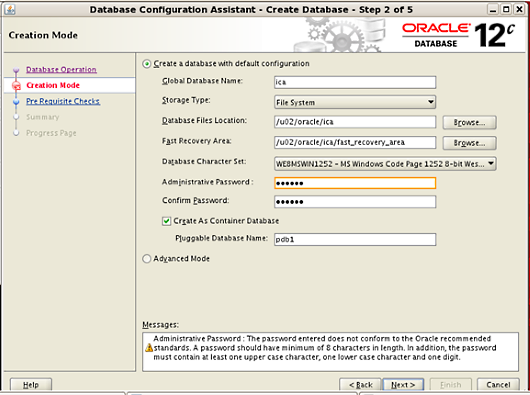
Enter or edit the given options like Files Location, Administrative Password etc and click Next